Rostering
Rostering software for casual event crews
Most rostering software is built for a shop or a ward: the same people, the same shifts, every week. An event business is the opposite — a different crew, a different site and a different finish time every Saturday. This is rostering built for that.
Offer a shift. They accept it, or they do not.
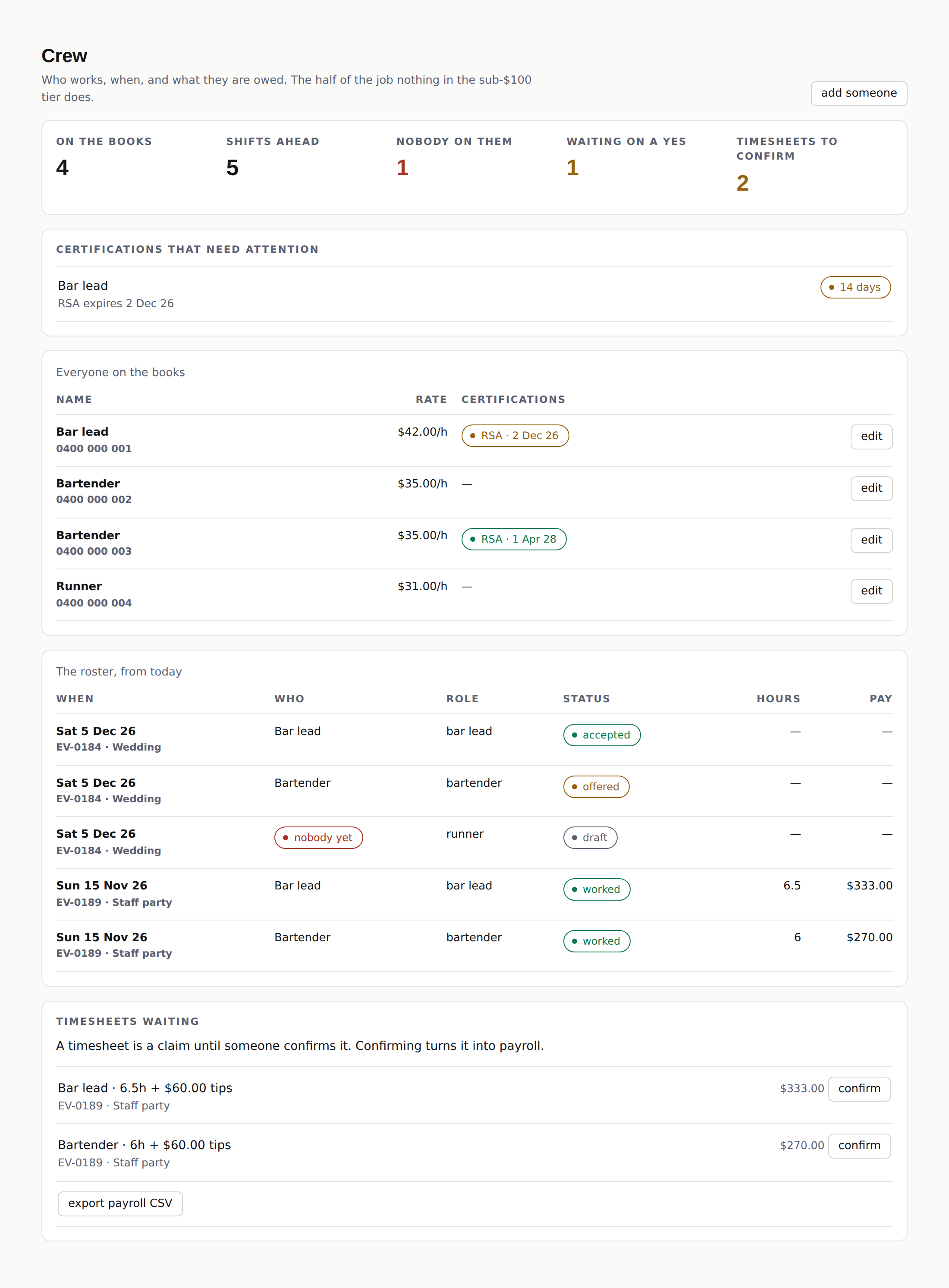
A shift is offered to a person and they accept or decline it on their phone. Until somebody accepts, the shift is open and the event says so. A roster full of names nobody has confirmed is not a roster, it is a wish.
Hours, tips and the rate that shift was agreed at.
A timesheet records the hours, the tips and the rate agreed for that shift. A pay rise in March does not rewrite what February cost you, which is the thing a spreadsheet gets wrong every single time.
- Bar lead
- 6.5h · $42/h · $60 tips
- $333
- Bartender
- 6h · $42/h · $60 tips
- $312
- Runner
- 5h · $42/h
- $210

Your crew
Half the job is the crew.
Rosters, shift offers, timesheets and tips live on the booking itself, not in a separate system you reconcile against it afterwards, and not in a paid add-on.
What rostering in eventman actually does
- A roster is a list of people who said yes A shift is offered to a person and they accept or decline it on their phone. Until somebody accepts, the shift is open and the event says so. A roster full of names nobody has confirmed is not a roster, it is a wish.
- The shift sits on the booking The roster is part of the event, not a separate app you reconcile against it afterwards. Move the date and the shifts move with it. Everyone on the job can see the site, the bump-in time and who else is on.
- Hours and tips at the rate that shift was agreed at A timesheet records the hours, the tips and the rate agreed for that shift. A pay rise in March does not rewrite what February cost you, which is the thing a spreadsheet gets wrong every single time.
- A claim until the office confirms it A submitted timesheet is a claim. The office confirms it, and then it exports as a CSV your bookkeeper or your payroll system can take. Nothing is paid because somebody texted a number at midnight.
- Tickets that expire, on the crew screen RSA, forklift tickets, food safety certificates — with the expiry dates against the person, visible when you are rostering them, not in a report nobody opens until an inspector asks.
- Crew logins are free Everyone on your books can have a login that shows their own shifts and nothing else. You are never charged for one. Charging per login for a business that runs on casuals is the one thing we set out not to do.
Rostering and timesheets are on the Operator and Multi plans. Solo runs your bookings without them. See the plans.
Rostering is one part of it. eventman runs the whole booking — the enquiry, the quote, what the client still owes you, the run sheet and the money — with the crew attached to the job rather than beside it. See the whole product.

See it on your own crew
Bring a real Saturday and we will set it up in front of you.
Or write to hello@eventman.com.au. No newsletter, no automated follow-ups — a person replies.